Messaging Assignment First Touch Time SLA Attainment
Also called: Messaging Assignment First Response SLA, First Message After Assignment SLA
What is Messaging Assignment First Touch Time SLA Attainment?
Messaging Assignment First Touch Time SLA Attainment is the percentage of messaging ticket assignments where the agent sent their first message within the account's SLA threshold after being assigned.
How Messaging Assignment First Touch Time SLA Attainment is measured
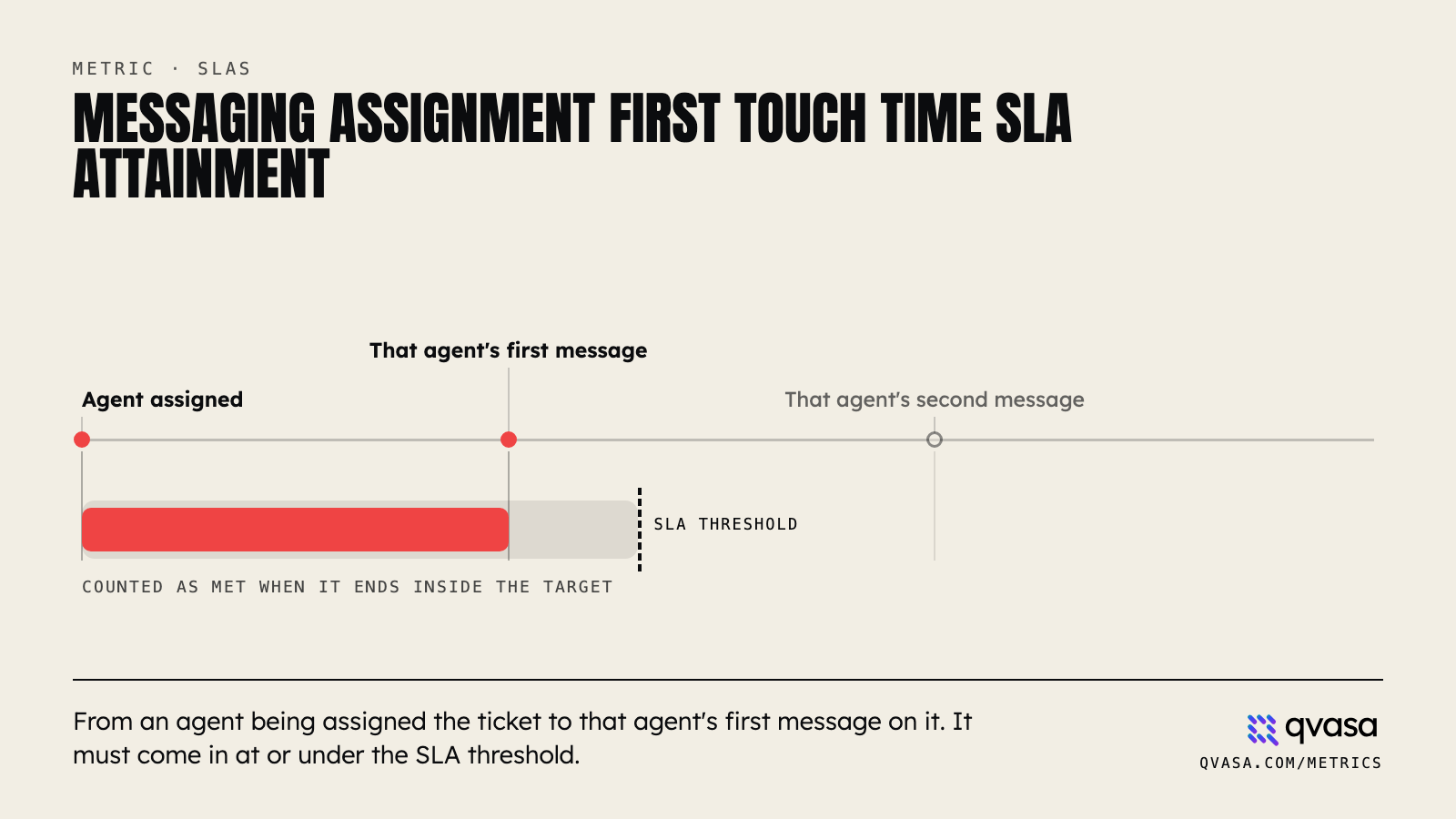
How is Messaging Assignment First Touch Time SLA Attainment calculated?
One assignment is one agent holding one messaging ticket, across every agent chat inside it. Every assignment counts, including later agents on a transferred ticket, and each is measured from the moment that agent was assigned to that agent's first message. Assignments are placed in the date range by when they started, and only those where the agent sent at least one message are included. The threshold is set in seconds, and the rate, within-SLA count and outside-SLA count are shown overall, per agent and over time. Business-hours versions count only the time that falls inside business hours, on the ticket's Zendesk schedule or otherwise the account's primary schedule.
FormulaMessaging Assignment First Touch Time SLA Attainment = measurements that finish inside the SLA threshold ÷ all measurements × 100, where a measurement is the time from "Agent assigned" to "That agent's first message"
Why Messaging Assignment First Touch Time SLA Attainment matters
It holds every agent who picks up a conversation, not only the first, to a prompt opening message, so transfers do not hide slow pickups.
Where it appears in Qvasa
Messaging Assignment First Touch Time SLA Attainment is available as a quick stat, an over-time chart, a by-agent breakdown and a by-agent trend over time (16 dashboard widgets measure it), and every number drills down to the tickets, calls or agents behind it.
- quick stat
- over-time chart
- by-agent breakdown
- by-agent trend over time
Related metrics
- Messaging First Response Time Messaging first response time is the time an agent takes to send their first message in a Zendesk messaging conversation, in most versions measured from the agent being assigned the ticket.
- Messaging First Touch Time After First Assignment SLA Attainment Messaging First Touch Time After First Assignment SLA Attainment is the percentage of messaging tickets where the time from the first agent being assigned the ticket to the first agent message was within the threshold the account set.
- Messaging Assignment Reply Time SLA Attainment Messaging Assignment Reply Time SLA Attainment is the percentage of messaging ticket assignments where the agent's average reply time across the whole assignment was within the account's SLA threshold.
- SLA Attainment SLA attainment is the percentage of tickets, chats or calls handled within the threshold the account set for that measure, for example an email first reply within 30 minutes or a call answered within 60 seconds.
Messaging Assignment First Touch Time SLA Attainment, answered
How is Messaging Assignment First Touch Time SLA Attainment calculated?
One assignment is one agent holding one messaging ticket, across every agent chat inside it. Every assignment counts, including later agents on a transferred ticket, and each is measured from the moment that agent was assigned to that agent's first message. Assignments are placed in the date range by when they started, and only those where the agent sent at least one message are included. The threshold is set in seconds, and the rate, within-SLA count and outside-SLA count are shown overall, per agent and over time. Business-hours versions count only the time that falls inside business hours, on the ticket's Zendesk schedule or otherwise the account's primary schedule. In short: Messaging Assignment First Touch Time SLA Attainment = measurements that finish inside the SLA threshold ÷ all measurements × 100, where a measurement is the time from "Agent assigned" to "That agent's first message".
Why does Messaging Assignment First Touch Time SLA Attainment matter?
It holds every agent who picks up a conversation, not only the first, to a prompt opening message, so transfers do not hide slow pickups.
See Messaging Assignment First Touch Time SLA Attainment on the SLA management product page, read the guides, or browse the full metrics dictionary.
See your floor live.
Start free, or watch it run on your own queues in a 30-minute demo.