Messaging Reply Time
Also called: Chat Reply Time, Chat Response Time
What is Messaging Reply Time?
Messaging reply time is the time an agent takes to reply to a customer message during a Zendesk messaging conversation.
How Messaging Reply Time is measured
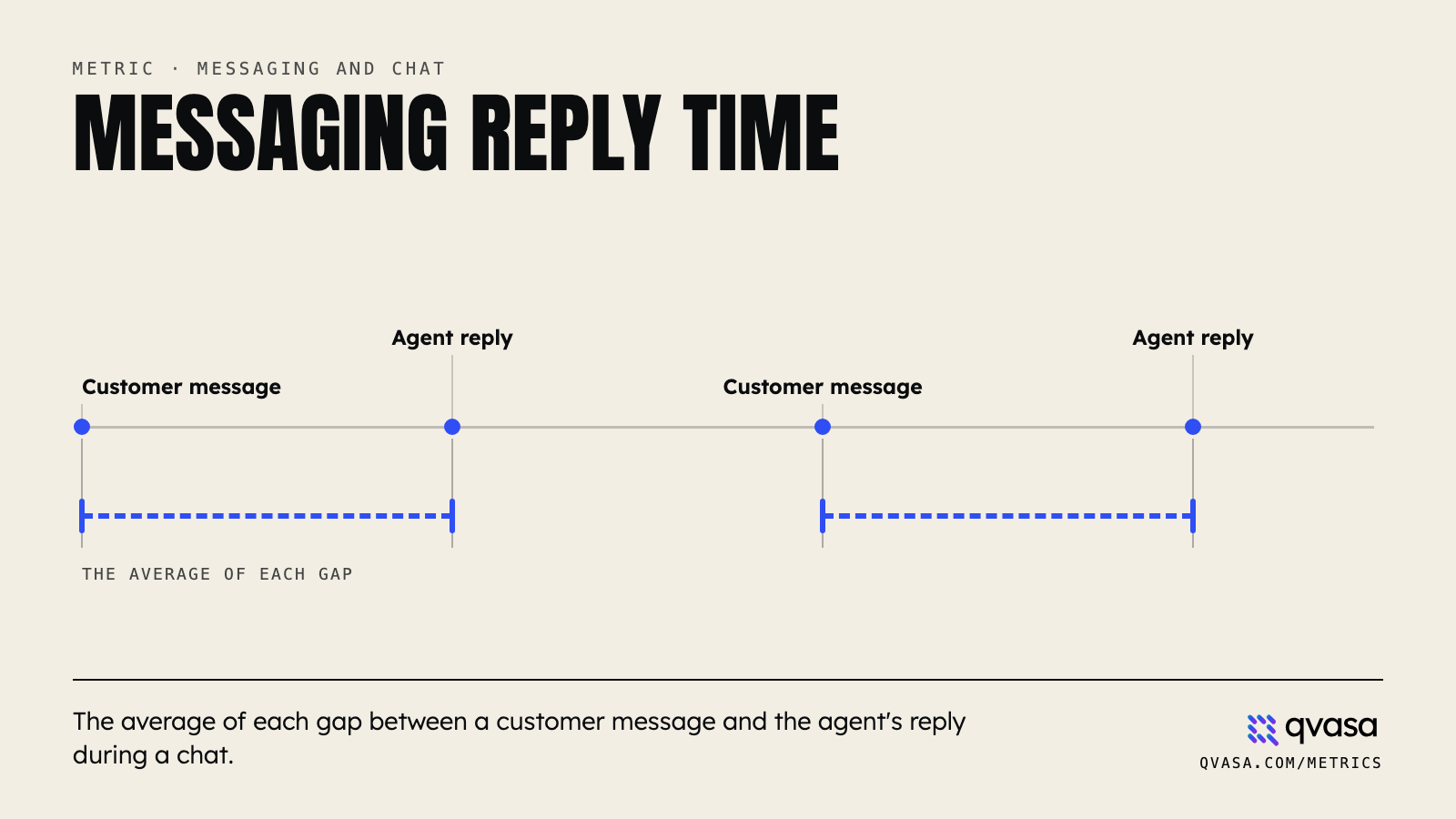
How is Messaging Reply Time calculated?
A reply time runs from a customer message to the agent message that answers it; when the customer sends several messages in a row, the clock starts at the first. Each chat keeps the average of its reply times, and the chat cards average or take the median of those per-chat figures, leaving out chats with no reply. Other versions keep an average and a median per ticket (the whole conversation, placed by when it attached to the ticket) or per agent assignment (placed by when the assignment started), with business hours versions of both.
FormulaMessaging Reply Time = the average of every gap: time from "Customer message" to "Agent reply"
Why Messaging Reply Time matters
A long messaging reply time means customers wait or work sits idle; the per-agent and over-time views show where in the workflow that time builds up.
Where it appears in Qvasa
Messaging Reply Time is available as a quick stat, an over-time chart, a breakdown by ticket attribute, a by-agent breakdown and a by-agent trend over time (68 dashboard widgets measure it), and every number drills down to the tickets, calls or agents behind it.
- quick stat
- over-time chart
- breakdown by ticket attribute
- by-agent breakdown
- by-agent trend over time
Related metrics
- Messaging Conversations Messaging conversations is the count of unique conversations started on the messaging platform, whether or not a Zendesk ticket was created from them.
- Messaging First Response Time Messaging first response time is the time an agent takes to send their first message in a Zendesk messaging conversation, in most versions measured from the agent being assigned the ticket.
- Messaging Messages Sent and Received Messaging messages sent and received is the total number of messages exchanged in Zendesk messaging conversations: customer messages received plus business messages sent, bots included.
- Messaging Queue Height Open-status tickets that have a messaging conversation plus currently-open messaging bot interactions, added together.
Messaging Reply Time, answered
How is Messaging Reply Time calculated?
A reply time runs from a customer message to the agent message that answers it; when the customer sends several messages in a row, the clock starts at the first. Each chat keeps the average of its reply times, and the chat cards average or take the median of those per-chat figures, leaving out chats with no reply. Other versions keep an average and a median per ticket (the whole conversation, placed by when it attached to the ticket) or per agent assignment (placed by when the assignment started), with business hours versions of both. In short: Messaging Reply Time = the average of every gap: time from "Customer message" to "Agent reply".
Why does Messaging Reply Time matter?
A long messaging reply time means customers wait or work sits idle; the per-agent and over-time views show where in the workflow that time builds up.
See Messaging Reply Time on the messaging analytics product page, read the guides, or browse the full metrics dictionary.
See your floor live.
Start free, or watch it run on your own queues in a 30-minute demo.