Time in Open Status
Also called: Time in Open, Open Status Duration
What is Time in Open Status?
Time in open status is how long tickets spent in Zendesk's Open status, the state in which a ticket is waiting for an agent to work it rather than waiting on the customer.
How Time in Open Status is measured
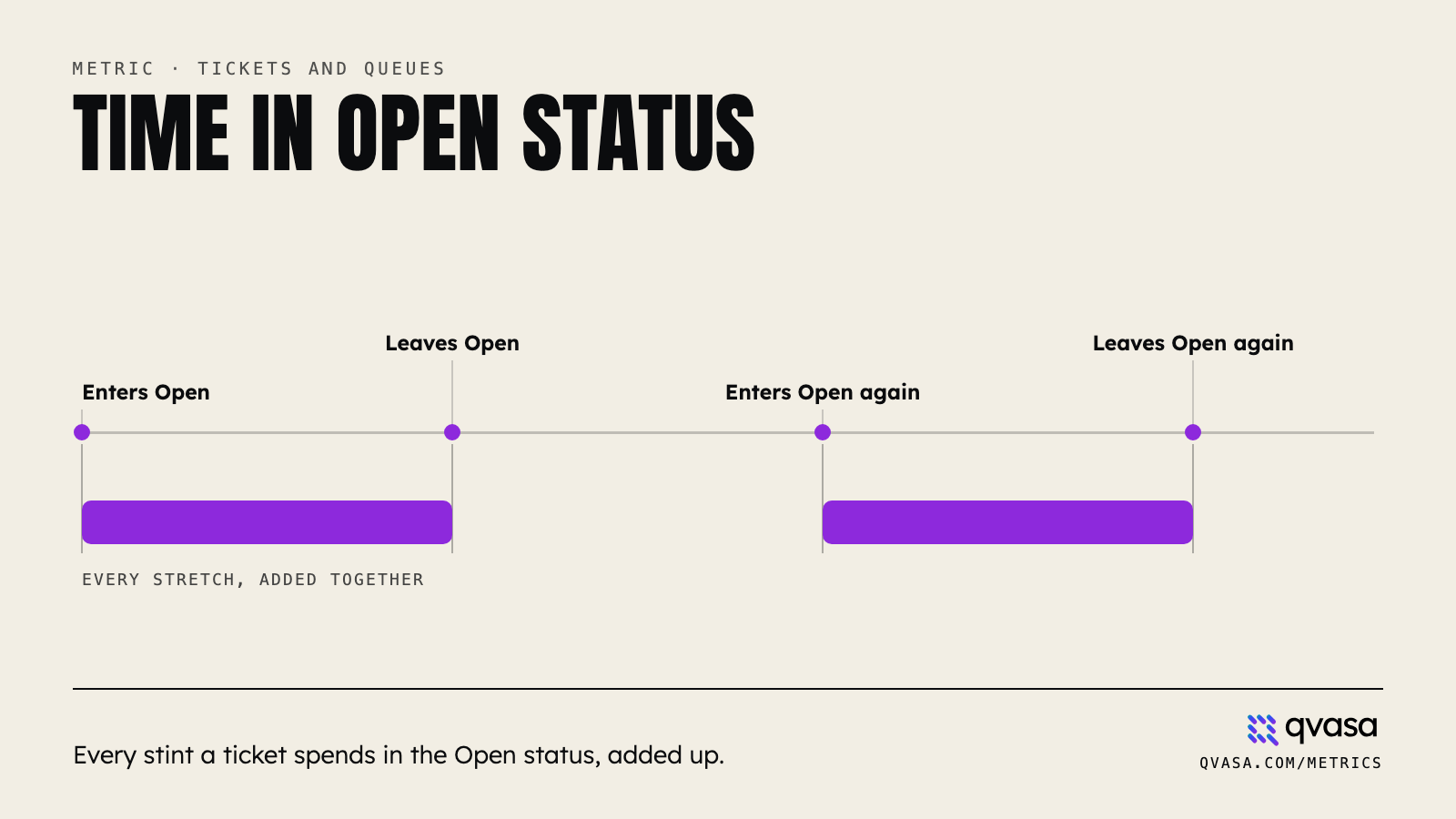
How is Time in Open Status calculated?
Each ticket's time in Open is the sum of its completed stints in that status. Tickets are scoped by when they last entered Open within the selected date range, and only tickets that spent time in Open are included; Qvasa reports the average, the median and the total, overall or by ticket attribute. The by-agent and by-group averages count only the Open time during that agent's assignment or that group's hold of the ticket, dated by when the assignment or the hold ended. The longest time in Open per agent is live: it runs from when a ticket the agent holds last entered Open until now.
FormulaTime in Open Status = the sum of every stretch: time from "Enters Open" to "Leaves Open", plus the time from "Enters Open again" to "Leaves Open again"
Why Time in Open Status matters
Time in Open is time a ticket sat on the team's side of the conversation. It separates team-caused waiting from customer-caused waiting in Pending, which full resolution time blends together.
Where it appears in Qvasa
Time in Open Status is available as an over-time chart, a by-agent breakdown, a breakdown by AI classification, a by-group breakdown, a breakdown by ticket attribute, a by-agent trend over time and a trend over time by ticket attribute (32 dashboard widgets measure it), and every number drills down to the tickets, calls or agents behind it.
- over-time chart
- by-agent breakdown
- breakdown by AI classification
- by-group breakdown
- breakdown by ticket attribute
- by-agent trend over time
- trend over time by ticket attribute
Related metrics
- Open Tickets Open Tickets is the count of tickets in the Open status right now.
- Time in Status Time in status is how long tickets spent in a ticket status you select, added up across every completed stint in that status.
- Time to Solve Time to solve is how long a ticket takes from its creation to its last entry into the Solved status.
- Assignment Open-Status Duration Assignment Open-Status Duration is the time a ticket spent in Open status during one assignment of an agent to that ticket, shown as an average or a median.
Time in Open Status, answered
How is Time in Open Status calculated?
Each ticket's time in Open is the sum of its completed stints in that status. Tickets are scoped by when they last entered Open within the selected date range, and only tickets that spent time in Open are included; Qvasa reports the average, the median and the total, overall or by ticket attribute. The by-agent and by-group averages count only the Open time during that agent's assignment or that group's hold of the ticket, dated by when the assignment or the hold ended. The longest time in Open per agent is live: it runs from when a ticket the agent holds last entered Open until now. In short: Time in Open Status = the sum of every stretch: time from "Enters Open" to "Leaves Open", plus the time from "Enters Open again" to "Leaves Open again".
Why does Time in Open Status matter?
Time in Open is time a ticket sat on the team's side of the conversation. It separates team-caused waiting from customer-caused waiting in Pending, which full resolution time blends together.
See Time in Open Status on the live dashboards product page, read the guides, or browse the full metrics dictionary.
See your floor live.
Start free, or watch it run on your own queues in a 30-minute demo.