What is Time in Status?
Time in status is how long tickets spent in a ticket status you select, added up across every completed stint in that status.
How Time in Status is measured
How is Time in Status calculated?
Each ticket's time in the selected status is the sum of its completed stints, and tickets are scoped by when they last entered the status within the date range; tickets with no completed time in it are left out. Qvasa reports the average, the median, the total and the longest single ticket. A separate set of live figures covers the tickets sitting in the status at one moment: the average, total and longest time they have been there so far. For Zendesk custom ticket statuses the average, median and total are taken per completed stint, dated by when the stint started.
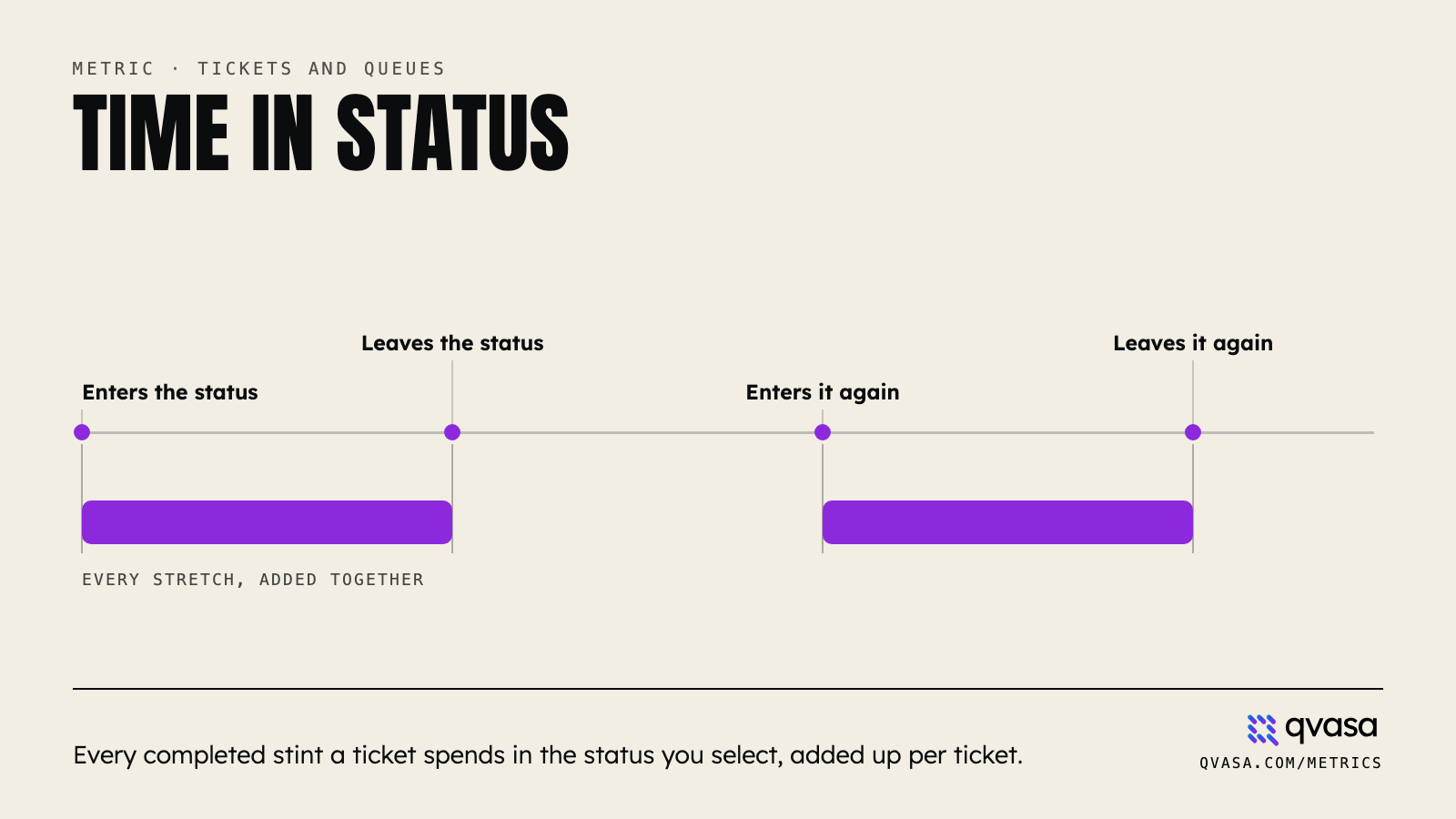
FormulaTime in Status = the sum of every stretch: time from "Enters the status" to "Leaves the status", plus the time from "Enters it again" to "Leaves it again"
Why Time in Status matters
A long time in a status means customers wait or work sits idle. Comparing statuses shows where in the workflow that time builds up.
Where it appears in Qvasa
Time in Status is available as a quick stat, an over-time chart and a breakdown by ticket attribute (13 dashboard widgets measure it), and every number drills down to the tickets, calls or agents behind it.
- quick stat
- over-time chart
- breakdown by ticket attribute
Related metrics
- Tickets Created Tickets created is the number of tickets opened in the period.
- Tickets Solved Count of tickets solved within the specified date range.
- Tickets Closed Count of tickets closed in a time period.
- Time to Close Average time from open to close in a time period.
Time in Status, answered
How is Time in Status calculated?
Each ticket's time in the selected status is the sum of its completed stints, and tickets are scoped by when they last entered the status within the date range; tickets with no completed time in it are left out. Qvasa reports the average, the median, the total and the longest single ticket. A separate set of live figures covers the tickets sitting in the status at one moment: the average, total and longest time they have been there so far. For Zendesk custom ticket statuses the average, median and total are taken per completed stint, dated by when the stint started. In short: Time in Status = the sum of every stretch: time from "Enters the status" to "Leaves the status", plus the time from "Enters it again" to "Leaves it again".
Why does Time in Status matter?
A long time in a status means customers wait or work sits idle. Comparing statuses shows where in the workflow that time builds up.
See Time in Status on the live dashboards product page, read the guides, or browse the full metrics dictionary.
See your floor live.
Start free, or watch it run on your own queues in a 30-minute demo.